

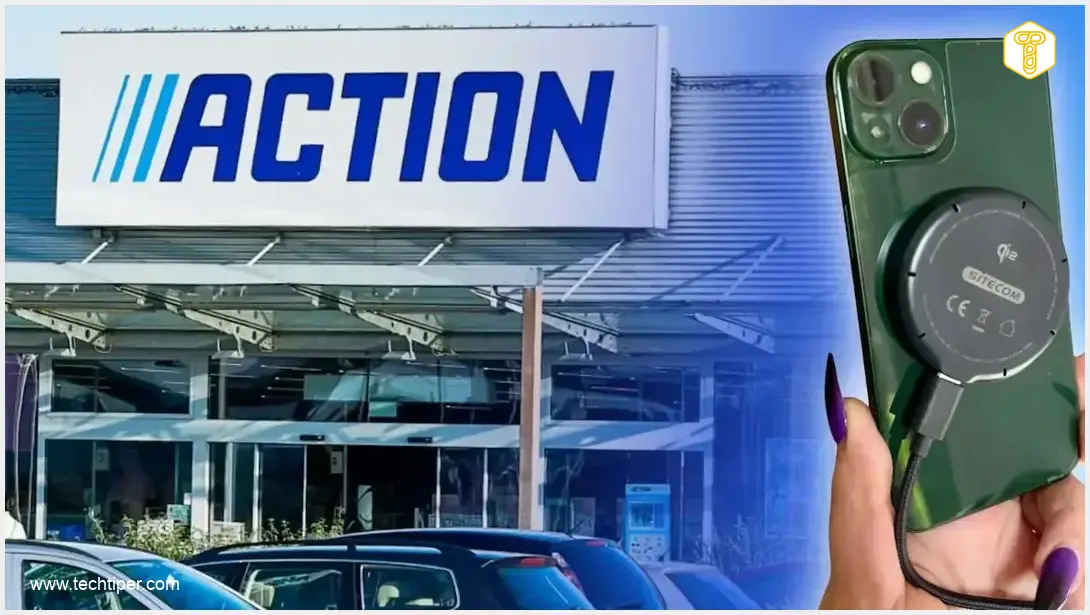
Sitecom Wireless Charger Review
-
Affordability
-
Ease of Use
-
Compatibility (MagSafe/Qi2)
-
Charging Speed
-
Temporary Solution
-
Overall Effectiveness
A Budget-Friendly Lifesaver for Charging Port Woes
This affordable Sitecom wireless charger from Action provides an excellent temporary solution for smartphones with damaged charging ports, offering convenient magnetic charging compatibility for both iPhones and Android devices, though actual charging speeds can vary.
Advantages
- Extremely affordable (under $10)
- Provides a temporary workaround for damaged charging ports
- Compatible with MagSafe and Qi2 technologies (iPhones and Android)
- Easy to use with magnetic alignment
- Supports up to 15W wireless charging
Disadvantages
- Does not physically fix a broken charging port
- Actual charging speed can vary and may be slower than wired charging
- Requires a sufficiently powerful wall adapter for optimal performance
- Not a permanent solution for all users
Contents
An Unexpected Savior: How a Budget Wireless Charger Rescued My iPhone
My several-year-old iPhone recently developed an issue with its charging port. The timing couldn’t have been worse – I simply couldn’t afford to be without my primary work tool for repairs. Fortunately, I found an unexpected solution at Action, a popular discount retailer. For less than $10, I purchased a wireless charger that allowed me to postpone an immediate repair, giving me much-needed peace of mind.
The Search for a Solution: A Wireless Charger from Action
When my smartphone started acting up, my first thought was to get it repaired. However, it wasn’t just the potential cost that concerned me; the idea of being separated from my smartphone, even for a short period, was a major obstacle. All my essential work files, documents, and contacts were stored on it, making it an indispensable device for my daily tasks.
Determined to find a temporary workaround, I came across the Sitecom magnetic wireless charger at Action. I paid just $9.50 for it. My expectations weren’t particularly high; my main goal was simply to be able to use my phone normally despite the damaged charging port.
Sitecom Wireless Charger: Features and Compatibility
This device isn’t revolutionary, but it’s incredibly practical. It’s a standard inductive charger offering a maximum wireless charging power of 15W. What makes it versatile is its compatibility with both MagSafe and Qi2 technologies. MagSafe ensures a perfect magnetic alignment for iPhones and other compatible devices, while Qi2 is the latest evolution of the Qi wireless charging standard, offering improved efficiency and magnetic attachment for a broader range of smartphones.
To use it, you simply place your compatible smartphone on the charger, and the magnets automatically align the device in the correct position, holding it securely during the charging process. This accessory works seamlessly with both iPhones and Android smartphones, utilizing the universal Qi inductive charging technology. The inclusion of Qi2 support means it can magnetically attach and charge phones that meet this modern standard. If you’re curious about specific device compatibility, especially with newer models, you might find this relevant: Samsung Galaxy S26 Ultra Charger Compatibility Issue.
Understanding Charging Speeds and Power
The Sitecom charger supports various power outputs: 5W, 7.5W, 10W, or 15W. However, the actual charging speed you experience will depend on several factors:
- Your Smartphone’s Capabilities: Not all phones can utilize the full 15W wireless charging speed.
- The Power Adapter: The wall adapter you connect the charger to plays a crucial role. For optimal performance, especially to achieve 15W, you’ll need a sufficiently powerful adapter (e.g., a 20W or higher USB-C power adapter).
- Charging Conditions: Factors like phone temperature and case thickness can also influence charging efficiency.
The charger comes with a one-meter USB-C cable. According to its technical specifications, the device can be powered by either 5V or 9V input. Therefore, ensuring you have an efficient power supply connected to the wall outlet is vital for maximizing charging speed.

This charger, much like other smart tools, can significantly enhance your daily routine. Explore how other smart accessories can simplify your life here: Top 4 Affordable Bluetooth Gadgets to Make Life Easier.
A Practical, Budget-Friendly Fix
Of course, this isn’t a perfect, long-term solution for a damaged charging port. Wireless charging can sometimes be slower than traditional wired charging, and the advertised 15W is the maximum output, not a guaranteed speed for every smartphone. Many variables, including your phone model, power adapter, and environmental conditions, influence the actual charging rate.
Nevertheless, it’s hard to complain. For less than $10, I acquired an accessory that allowed me to defer an expensive and inconvenient phone repair to an indefinite future. While a wireless charger won’t physically fix a broken port, it offers a remarkably sensible alternative if your smartphone functions perfectly otherwise and the only issue is cable charging. This is especially true when you lack the time or funds for an immediate service center visit.
Frequently Asked Questions (FAQ)
No, this wireless charger provides a temporary workaround for a faulty charging port, allowing you to power your device without needing a cable connection to the damaged port. It does not repair the physical damage to the port itself.
The 15W is the maximum output of the charger. The actual charging speed depends on your smartphone’s wireless charging capabilities, the power adapter you use, and other environmental factors. Many phones may charge at lower speeds (e.g., 7.5W or 10W) even with a 15W charger.
Source: Author’s own work. Opening photo: Author’s own assembly.
About Post Author
