

Contents
Google Translate Gets a Modern Makeover: New Icon and AI Power
Google continues to roll out significant updates across its suite of applications, and the Translate app is the latest to receive a fresh look and enhanced capabilities. Following a recent interface overhaul, the tech giant is now introducing a brand-new icon, marking a departure from a design that has been familiar to users for over a decade. While the full rollout to all Android and iOS users is still underway, these changes signal Google’s commitment to modernizing its user experience and leveraging advanced technology.
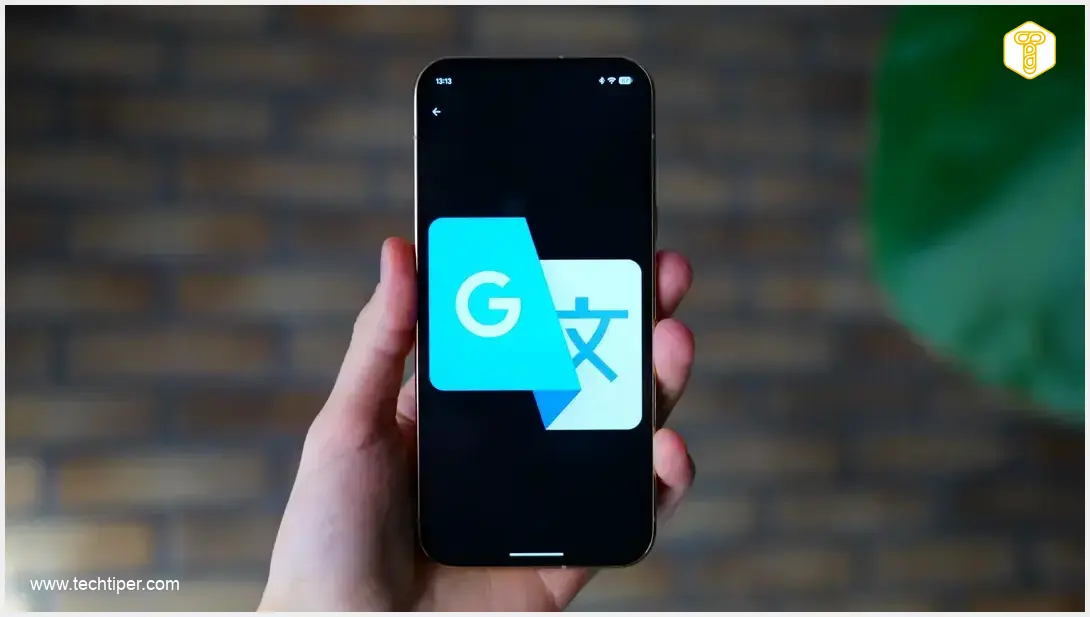
A Fresh Look: The Redesigned Google Translate Icon
The iconic Google Translate symbol, last updated in 2015, is undergoing a substantial transformation. The new design moves away from the previous “paper style” with its sharp, folded corner, adopting a more contemporary and streamlined aesthetic. Key changes include:
- Softened Edges: The sharp corners are replaced with gently rounded edges, aligning with Google’s broader design language seen across its apps.
- Color Shift: The traditional gray Chinese character within the icon has been updated to a vibrant light blue, adding a modern pop of color.
- Signature Gradient: True to Google’s recent branding, the icon now incorporates a subtle gradient, providing depth and visual appeal.
- Slightly Smaller Footprint: The refreshed emblem is marginally smaller than its predecessor, contributing to a more refined look.
This updated icon is consistent with recent design changes across other Google applications, including the Google Workspace suite, reflecting a unified and modern visual identity. Currently, the new icon is primarily appearing as a favicon, with a wider stable rollout for the full application icon expected in the near future.
Beyond Aesthetics: AI Integration Transforms Translation
The changes to Google Translate are not merely superficial. Following its interface update in October, the application has received a crucial upgrade in its core functionality: the integration of artificial intelligence. This enhancement significantly boosts the number of available text translation models, offering users more powerful and flexible options.
Users can now choose between two distinct translation modes within the app:
- Fast Mode: Ideal for quick translations of simple phrases and everyday communication, offering rapid results.
- Advanced Mode: Designed for more complex documents and nuanced texts, providing higher accuracy and contextual understanding. It’s important to note that this advanced model currently supports a subset of languages.
This move highlights a broader trend within Google to infuse AI into its popular tools, enhancing their capabilities and user experience. Learn more about how AI is shaping Google’s app ecosystem and its history of updates by visiting our article on Google App AI Mode History Update.
Frequently Asked Questions (FAQ)
Google is consistently modernizing its application interfaces and branding. The new Translate icon aligns with the updated design language seen across many Google products, providing a more consistent and contemporary user experience. The previous icon had been in use for over a decade.
The new icon is currently being rolled out gradually. While it has appeared as a favicon, a wider, stable release for the main app icon on Android and iOS devices is expected soon. Google often stages its updates to ensure a smooth transition for all users.
The introduction of AI-powered “Fast” and “Advanced” modes offers users more tailored translation experiences. Fast mode provides quick translations for simple text, while Advanced mode delivers higher accuracy and better contextual understanding for complex documents, significantly improving the quality of translations for more demanding tasks.

Currently, the Advanced AI translation mode supports a select number of languages. Google typically expands language support over time, so users can expect more languages to become compatible with this mode in future updates. It’s advisable to check the app for the most up-to-date list of supported languages.
Source: 9to5Google. Opening photo: Krzysztof Wilamowski
About Post Author
