
Contents
Google Pixel Introduces New ‘Family Group’ Feature for Enhanced Family Management
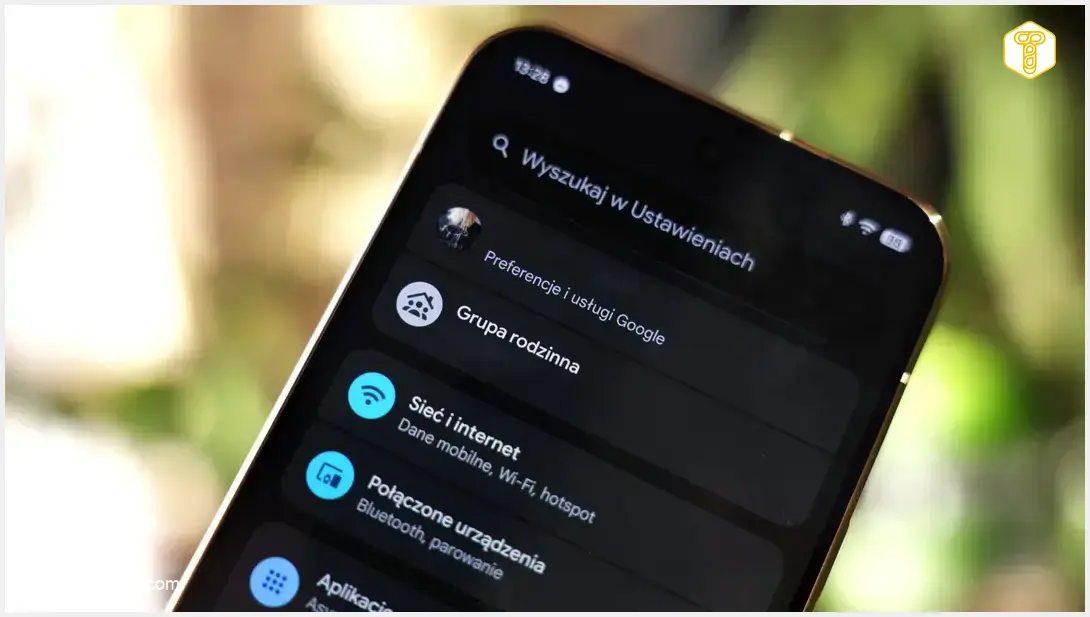
Google Pixel smartphones are rolling out a significant new section within their settings menu. Dubbed “Family Group,” this innovative addition centralizes essential services and security tools, making it significantly easier to manage shared subscriptions and monitor the location of loved ones. This feature is set to enhance convenience and control for Pixel users, consolidating various family-related functionalities into one accessible hub.
“Family Group” Debuts on Google Pixel
Following the November Pixel Drop update, Google Pixel smartphone users are discovering a new entry at the top of their settings list. The “Family Group” is a central hub within the phone’s system settings. It brings together critical information about children’s accounts and members of a Google One family plan, offering an unprecedented level of integration for family management.
What the Family Group Offers
This new panel provides users with a comprehensive overview of subscription statuses and quick access to advanced sharing settings. Key functionalities include:
- Google One Storage Management: Directly manage shared cloud storage space within your Google One family plan. This allows for efficient allocation and monitoring of storage across family members.
- Google Play Family Library: Control and organize content within the family library in the Google Play Store, ensuring everyone has access to shared apps, games, movies, and books.
- Shared Payment Methods: Oversee common payment methods, simplifying purchases and subscriptions for the entire family.
- Google Calendar Synchronization: Manage family events that are synchronized with Google Calendar, ensuring everyone stays on top of important dates and activities.
- Live Location Sharing: A crucial component of this module is the ability to manage live location sharing. The app displays the current position of family members who have opted to share their coordinates and allows users to instantly start sharing their own location for safety and coordination.
Administering Your Family Group
The panel also facilitates the addition and removal of new individuals from the group. An administrator can easily verify a user’s parental status and transfer administrative permissions, offering flexible control over who manages the family settings. This robust administrative capability ensures that family settings are managed securely and effectively.
For those looking to upgrade their devices or explore the latest Google Pixel innovations, stay tuned for news regarding upcoming models like the Google Pixel 11. Additionally, current users might find attractive offers on existing models, such as the Google Pixel 10, which could be available at significant discounts.
Availability of the New Feature
This new functionality is being rolled out server-side and is closely tied to Google Play services. The feature automatically appears on supported devices, which include smartphones from the Google Pixel 10 series and the latest Pixel 11 models running an updated system. The deployment process does not require users to manually install software packages or download additional tools from external sources, ensuring a seamless and effortless update experience.
Frequently Asked Questions (FAQ)
The Google Pixel Family Group is a new section in your phone’s settings menu that centralizes various family management tools. It allows you to manage shared Google services like Google One storage, Google Play Family Library, payment methods, Google Calendar events, and real-time location sharing for family members.
The Family Group feature is rolling out server-side after the November Pixel Drop update and is linked to Google Play services. It will automatically appear on supported devices, including Google Pixel 10 series and newer models running an updated operating system. You do not need to manually install anything.
Yes, the Family Group feature includes robust controls for live location sharing. You can see the location of family members who have chosen to share it, and you can also decide when and with whom to share your own location. Administrators can manage permissions within the group.

Source: 9to5google, internal development. Opening photo: Krzysztof Wilamowski Android dot com dot pl
About Post Author
