

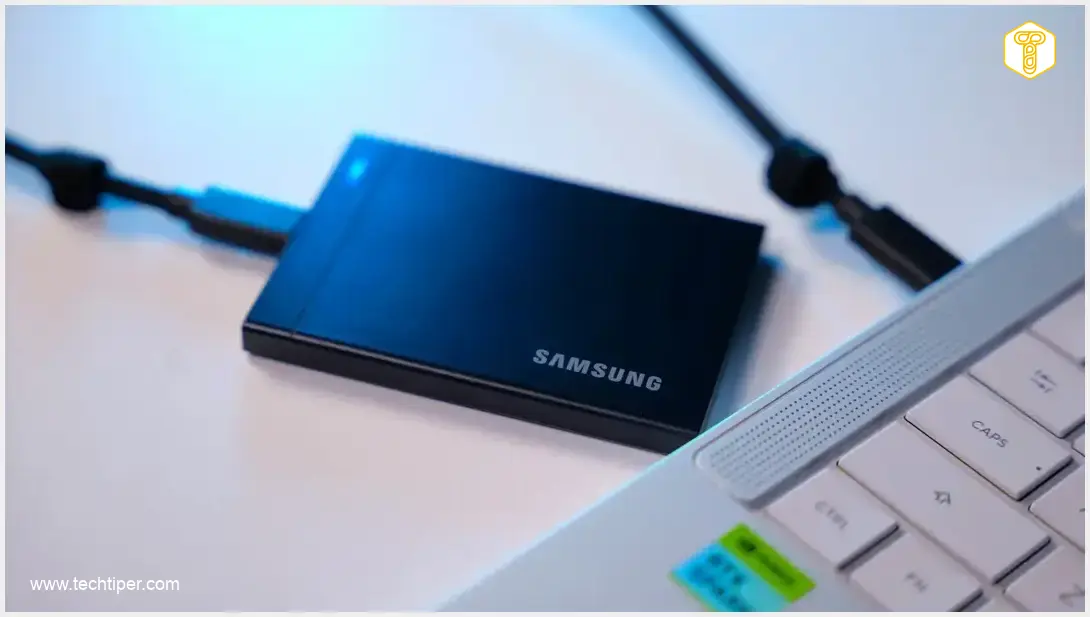
Samsung P9 1TB Review
-
Performance (USB4 Speeds)
-
Build Quality & Design
-
Thermal Management
-
Portability & Convenience
-
Software (Samsung Magician)
-
Value for Money
Exceptional Performance and Premium Build for Demanding Users
The Samsung P9 1TB stands out as a top-tier portable SSD, delivering phenomenal USB4 speeds, robust build quality, and effective thermal management. While its premium price and minor software localization issues are considerations, it’s an excellent investment for professionals and enthusiasts requiring uncompromising speed and reliability on the go.
Advantages
- Exceptional USB4 performance with rapid data transfers
- Available in multiple storage capacities up to 8TB
- Effective heat dissipation ensures stable operation under heavy loads
- Premium build quality with a durable aluminum casing
- Compact, lightweight, and highly portable design
- Includes a long, braided USB-C cable with Velcro ties
- Robust 256-bit AES hardware encryption for data security
- Consistent performance even when the drive is nearly full
- Bus-powered, requiring no external power adapter
- Refined and useful Samsung Magician software (despite minor issues)
Disadvantages
- Premium price point reflecting high-end specifications
- Samsung Magician software currently lacks full localization for all languages (e.g., Polish)
- Requires a USB4 Gen 3×2 port for maximum advertised speeds; performance significantly reduced on older USB standards
- Temporary dip in write speeds observed after more than 40 minutes of sustained, intense load (though unlikely in typical use)
Contents
Samsung P9 1TB Review: Unlocking Peak Performance with USB4
The global memory market has experienced significant fluctuations, impacting the pace of consumer hardware innovation. Despite these challenges, manufacturers continue to push boundaries. This in-depth review focuses on the Samsung P9 1TB portable solid-state drive (SSD), evaluating its real-world performance for discerning users. We’ll explore the capabilities of Samsung’s latest memory technology paired with the cutting-edge USB4 interface.
Key Highlights of the Samsung P9 1TB
- Exceptional USB4 performance, delivering rapid data transfers.
- Available in multiple storage capacities, up to a massive 8TB, catering to diverse needs.
- Effective heat dissipation ensures stable operation even under heavy loads.
- Premium build quality, offering durability and a refined aesthetic.
- Includes a long, braided USB-C cable for convenience and longevity.
- Features robust 256-bit hardware encryption for enhanced data security.
Potential Considerations
- The drive comes at a premium price point, reflecting its high-end specifications and current market conditions.
- The accompanying Samsung Magician software does not currently offer full localization for all languages, including Polish.
Samsung P9 1TB: A Top-Tier Portable SSD
The Samsung P9 stands out as a top-tier portable SSD in every aspect. It delivers outstanding performance, boasts excellent build quality, and is supported by refined software. This device is engineered for the most demanding professionals and enthusiasts who require uncompromising speed and reliability on the go.
Unboxing the Samsung P9 1TB
The Samsung P9 1TB arrives in a compact package, reflecting its portable nature. Despite its small size, the contents are securely protected. Inside, users will find everything necessary to get started with their new portable storage device.
The most crucial item is, of course, the drive itself. Samsung also includes a generously long (for an SSD accessory) braided USB-C cable, measuring approximately 45 centimeters (about 1.5 feet). This cable is equipped with two Velcro ties for easy management and secure transport. A concise user manual completes the accessory list.
Credit: Krzysztof Wilamowski
Design and Build Quality
While Samsung has previously offered rugged portable drives like the Samsung SSD T7 Shield, the P9 represents a different design philosophy. This new offering from the Korean manufacturer is primarily designed for typical office work or use during travel. Consequently, the SSD is significantly more compact than its rugged counterparts. While not the absolute smallest device on the market, its dimensions are unlikely to pose any inconvenience.
The Samsung P9 is only slightly larger than a standard credit card in height and width. The enclosure measures a slim 8.3 mm (approximately 0.33 inches) in thickness, comparable to many modern smartphones (for instance, the Samsung Galaxy S26 Ultra has a thickness of 7.9 mm). Weighing just 96 grams (about 3.4 ounces), the drive can be effortlessly carried in a backpack without adding noticeable bulk.

The build quality is exemplary. The entire casing is crafted from black aluminum, giving it an exceptionally robust feel. While a significant drop might leave cosmetic marks on the exterior, the valuable internal components are well-protected. The P9’s premium construction ensures it can withstand the rigors of daily transport.
Credit: Krzysztof Wilamowski
The top surface is subtly adorned with the manufacturer’s logo and a blue status LED. The finish is uniform and matte, though it moderately shows fingerprints. The edges feature a contrasting brushed aluminum finish. A single USB-C port is located on one of the sides.
The underside is covered with a relatively hard, rubberized material. While its anti-slip properties aren’t exceptional—the device can still be easily moved on a desk—this material likely serves to prevent scratches to the casing. This side also displays a small window with regulatory symbols, certifications, and the serial number.
Performance: Blazing Speeds with USB4
Ultimately, the most critical function of a portable SSD is storing and transferring files efficiently. The Samsung P9 supports one of the fastest available standards: USB4 Gen 3×2, boasting a bandwidth of 40 Gbps. This advanced interface enables incredibly rapid data transfers, making it ideal for large files and demanding workflows.
The tested model is rated for sequential read speeds of up to 4000 MB/s and sequential write speeds of up to 3700 MB/s. Higher capacity variants (e.g., 2TB, 4TB, 8TB) offer slightly improved write speeds, reaching 3800 MB/s.
Credit: Krzysztof Wilamowski
To fully leverage these maximum transfer speeds, your host device (computer or laptop) must also be equipped with a compatible USB4 Gen 3×2 port. For systems using USB 3.2 Gen 2×2, transfer speeds will be approximately halved. Users with older USB 3.2 Gen 2×1 ports will experience roughly 25% of the P9’s maximum theoretical speeds. So, how does this translate into practical performance?
For testing, we utilized the reliable CrystalDiskMark software (version 9.0.3). Our test setup featured a GIGABYTE X870E Aorus Elite WiFi7 motherboard equipped with two USB4 ports, ensuring optimal conditions for evaluating the drive’s peak capabilities.
Credit: Krzysztof Wilamowski
Performance with 1 GB Test File
We began our measurements with a relatively undemanding 1 GB test file. The recorded transfer rates were very promising, closely aligning with the manufacturer’s specifications. The difference between observed and declared speeds was minimal.
| Empty Drive | Drive 95% Full | |
|---|---|---|
| Sequential Read (MB/s) | 3963.14 | 3959.42 |
| Sequential Write (MB/s) | 3604.49 | 3607.01 |
| Random Read (MB/s) | 331.12 | 339.63 |
| Random Write (MB/s) | 252.38 | 257.11 |
Drive performance (empty vs. 95% full) with a 1 GB test file. Credit: Krzysztof Wilamowski
Performance remained excellent even when the drive was 95% full. The differences were marginal, with a maximum deviation of approximately 2.57% for random read speeds, demonstrating consistent performance regardless of storage utilization.
Performance with 8 GB Test File
Next, we increased the test’s difficulty by using an 8 GB test file. The Samsung P9 1TB handled this more demanding task flawlessly. Filling the drive to 95% capacity still made little difference to its performance, highlighting its robust design and efficient memory management.
| Empty Drive | Drive 95% Full | |
|---|---|---|
| Sequential Read (MB/s) | 3969.74 | 3971.28 |
| Sequential Write (MB/s) | 3592.48 | 3523.99 |
| Random Read (MB/s) | 329.02 | 339.74 |
| Random Write (MB/s) | 242.69 | 241.91 |
Drive performance (empty vs. 95% full) with an 8 GB test file. Credit: Krzysztof Wilamowski
The largest observed difference was about 3.3% for random read speeds. This impressive stability under varying conditions is a testament to the P9’s engineering excellence.
Thermal Management
During extended file transfers (30 minutes of continuous operation at speeds ranging from 400 MB/s to 1.2 GB/s) and subsequent benchmarks, the drive’s casing became only slightly warm. There was no instance of the P9 becoming uncomfortably hot.
With an ambient room temperature of 22°C (71.6°F), the device reached a maximum temperature of 36°C (96.8°F) at its hottest point. Interestingly, the Samsung Magician application reported similar values.
Readings from three temperature sensors (detected by the HWiNFO program) indicated maximum temperatures of 38°C, 38°C, and 49°C. These results are comparable to the Samsung T9, a model that is twice as slow. Crucially, these peak temperatures are unlikely to be reached during typical file operations, making thermal throttling a non-issue for most users.
After more than 40 minutes of sustained load, read values remained unchanged, while random and sequential write speeds dropped to approximately 1100 MB/s and 73 MB/s, respectively. However, just a few minutes of rest allowed the transfer speeds to quickly return to normal. The flat, metallic casing effectively dissipates heat, ensuring that thermal throttling is generally not a concern in everyday use. Even positioning the drive near fan outlets should not pose a problem.
Samsung Magician Software
The Samsung P9 comes with an installer for the Samsung Magician software pre-loaded on the drive. This application downloads necessary resources from the internet and occupies approximately 500 MB of space. While the application currently lacks full localization for some languages, and initially opens in a rather large window with oversized buttons (which can be manually resized), it is otherwise a well-designed and useful program.
Credit: Krzysztof Wilamowski
The main screen features customizable widgets displaying crucial information such as drive health (with a clear indicator), temperature, and capacity. A slide-out panel on the right provides access to various functions.
The first tab is dedicated to device details, allowing users to perform a quick drive scan. The next window offers a built-in benchmark, enabling users to test the maximum transfer speeds on their computer without needing additional software. A subsequent tab provides options for creating partitions. Finally, users can manage security settings, including the ability to password-protect the Samsung P9 drive.
Samsung P9 1TB: Specifications and Pricing
Credit: Krzysztof Wilamowski
The Samsung P9 1TB model is positioned at a premium price point, reflecting its advanced features and performance. Larger capacities, such as the 2TB variant, command a significantly higher price. These elevated prices are primarily influenced by the ongoing global memory market dynamics. As the semiconductor industry navigates challenges, leading to backlogs and shifts in manufacturing, the cost of high-performance storage solutions can be affected. For instance, discussions around Samsung’s semiconductor opportunities amid TSMC backlogs, or broader market struggles like profitability crises and rising RAM costs, illustrate the complex factors influencing current SSD pricing. Therefore, users looking to invest in a high-capacity, high-speed portable drive should be prepared for a substantial outlay.
Technical Specifications
- Interface: USB4 Gen 3×2 (40 Gbps)
- Capacities: 1 TB, 2 TB, 4 TB, 8 TB
- Performance:
- Sequential Read: Up to 4000 MB/s
- Sequential Write: Up to 3700 MB/s (3800 MB/s for higher capacity versions)
- Encryption: 256-bit AES Hardware Encryption
- Durability: Operating Temperature from 0°C to 60°C (32°F to 140°F)
- Warranty: 5-year Limited Warranty
- Dimensions: 90 × 65 × 8.3 mm (3.54 × 2.56 × 0.33 inches)
- Weight: 96 g (3.4 oz)
Conclusion: Samsung P9 1TB Review
Credit: Krzysztof Wilamowski
The Samsung P9 1TB is unequivocally designed for the most demanding users. This portable SSD combines exquisite craftsmanship, a minimalist design, and premium materials with phenomenal performance. Its transfer speeds remain remarkably stable for both small and large files, with negligible performance degradation even when the drive is 95% full.
While a temporary dip in write speeds was observed after more than 40 minutes of sustained, intense load, this scenario is highly unlikely to occur during typical everyday use. Despite its premium price, the Samsung P9 1TB stands as a truly high-end device that makes no compromises on quality or speed. It represents a significant investment for those who prioritize top-tier portable storage performance.
Frequently Asked Questions (FAQ)
The Samsung P9 1TB is backward compatible with older USB standards. However, to achieve its maximum advertised speeds (up to 4000 MB/s read, 3700 MB/s write), your computer must have a USB4 Gen 3×2 port. With USB 3.2 Gen 2×2, you can expect roughly half the speed, and with USB 3.2 Gen 2×1, speeds will be about 25% of the maximum. The drive will function, but at reduced performance corresponding to the older interface’s limitations.
No, the Samsung P9 1TB is a bus-powered device, meaning it draws all necessary power directly from the USB-C port of your connected device. No external power adapter is required, enhancing its portability and convenience.
The 256-bit AES hardware encryption offers a robust layer of security for your data, protecting it from unauthorized access even if the drive is lost or stolen. It’s a critical feature for professionals handling sensitive information. You can typically enable and manage this encryption through the included Samsung Magician software, which allows you to set a password for the drive.
Source: Self-prepared. Opening photo: Krzysztof Wilamowski
About Post Author
