

Contents
Samsung’s One UI 9 with Android 17 Begins Global Rollout for Galaxy Z Fold 6 and Z Flip 6
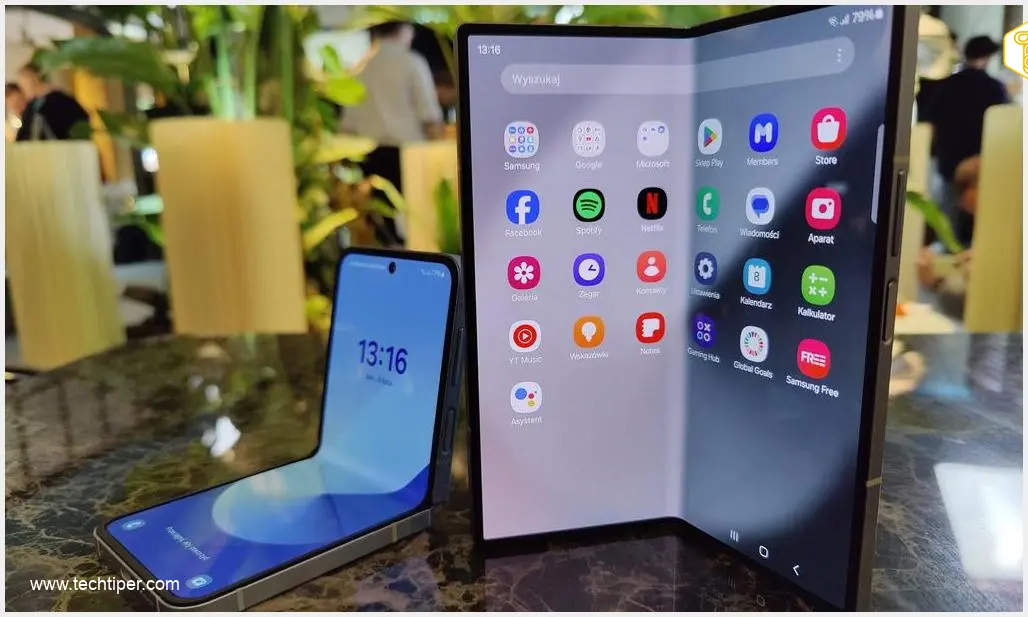
Samsung has officially started deploying the stable version of One UI 9, built on the latest Android 17 operating system, for its cutting-edge foldable devices, the Galaxy Z Fold 6 and Galaxy Z Flip 6. This significant update promises a suite of new features, enhanced customization options, and performance improvements for users worldwide.
Initial Rollout: South Korea First, Wider Availability Soon
The initial phase of the rollout targets participants of the beta program in South Korea. This strategic approach allows Samsung to gather final feedback before a broader release. Users in other regions can anticipate the update reaching their devices in the coming days and weeks as Samsung expands its deployment globally.
For Galaxy Z Fold 6 owners, the update package, identified by the firmware version F956NKSU4EZIH, measures approximately 498 MB. It’s important to note that the exact availability and rollout schedule can vary by region and carrier, as Samsung typically implements a phased release.
What’s New in One UI 9 and Android 17?
One UI 9, powered by Android 17, introduces a host of exciting enhancements designed to elevate the user experience. A primary focus of this update is to offer greater personalization and control over your device.
Enhanced Customization and User Interface
- Quick Settings Customization: Users will find expanded capabilities to customize the Quick Settings panel. This includes more options to rearrange elements, change the layout, and personalize the shortcuts that appear, making essential functions more accessible.
- System-Wide Improvements: The update also brings refinements to core Samsung applications and accessibility features. Expect to see changes and improvements in areas such as Samsung DeX (for a desktop-like experience), Samsung Notes (for enhanced productivity), and various accessibility options designed to make the devices more inclusive for all users.
Privacy and AI-Powered Features
Privacy remains a key focus, with One UI 9 introducing a new indicator that clearly shows when an application is actively using your device’s location services. This gives users greater transparency and control over their data.
Moreover, the new software significantly expands the suite of AI-powered functionalities. These intelligent features are designed to simplify daily tasks and offer more personalized experiences:
- My FanCam: An AI-enhanced camera feature, likely offering smarter ways to capture photos and videos.
- Call Brief: A feature that could provide summaries or insights into phone calls, leveraging AI to process conversational data.
- Custom Cards in Now Brief: Users can now create personalized cards within the “Now Brief” interface, allowing for a more tailored and efficient way to consume information at a glance.
For a deeper dive into the new capabilities, you might find more information here: What’s New in One UI 9: Multi-Window, AI, Cross-Device.
How to Get the One UI 9 Update
As the stable One UI 9 update is currently rolling out for Galaxy Z Fold 6 and Z Flip 6 units that participated in the beta program in South Korea, a broader deployment is just beginning. Samsung will gradually extend the update to more countries in the coming days and weeks.
To check for the update manually, Galaxy users can navigate to their phone’s Settings > Software update > Download and install. It is recommended to ensure your device is sufficiently charged and connected to a stable Wi-Fi network before initiating the update process.

Keep an eye out for official announcements from Samsung regarding specific regional availability. You can also explore more about upcoming features and updates here: Samsung One UI 9 Namedrop Feature Android 17.
Frequently Asked Questions (FAQ)
The stable One UI 9 update, based on Android 17, is initially rolling out to the Samsung Galaxy Z Fold 6 and Galaxy Z Flip 6, specifically for beta program participants in South Korea. A wider release for these devices will follow in other regions.
Key new features include enhanced customization options for Quick Settings, improvements to Samsung DeX and Samsung Notes, new accessibility features, a location usage indicator for apps, and expanded AI functionalities like My FanCam, Call Brief, and custom cards in Now Brief.
You can manually check for the update by going to Settings > Software update > Download and install on your Galaxy Z Fold 6 or Z Flip 6. Remember that the rollout is phased, so availability may vary by region and carrier.
Rolling out to beta participants first allows Samsung to conduct a final round of testing in a real-world environment and address any critical bugs before a general release. This phased approach ensures a smoother and more stable experience for all users once the update becomes widely available. It typically means the update will reach other regions and devices within days or weeks of the initial beta rollout.
Source: SamMobile. Opening photo: Bartosz Szczygielski / Android
About Post Author
