

Contents
Revive Your Phone’s Charging: A Guide to Cleaning Your USB-C Port
Is your phone charging inconsistently? Does the cable frequently fall out, or do you have to position it at an odd angle to get a charge? Before you rush to a repair shop, it’s worth inspecting your phone’s USB-C port. Often, the culprit isn’t a faulty battery or charger, but rather a build-up of everyday debris.
In this comprehensive guide, we’ll explain why a contaminated charging port can disrupt fast charging, provide a safe method for cleaning it yourself, and help you determine when a charging problem indicates a genuine hardware malfunction.
Why USB-C Ports Stop Working Effectively
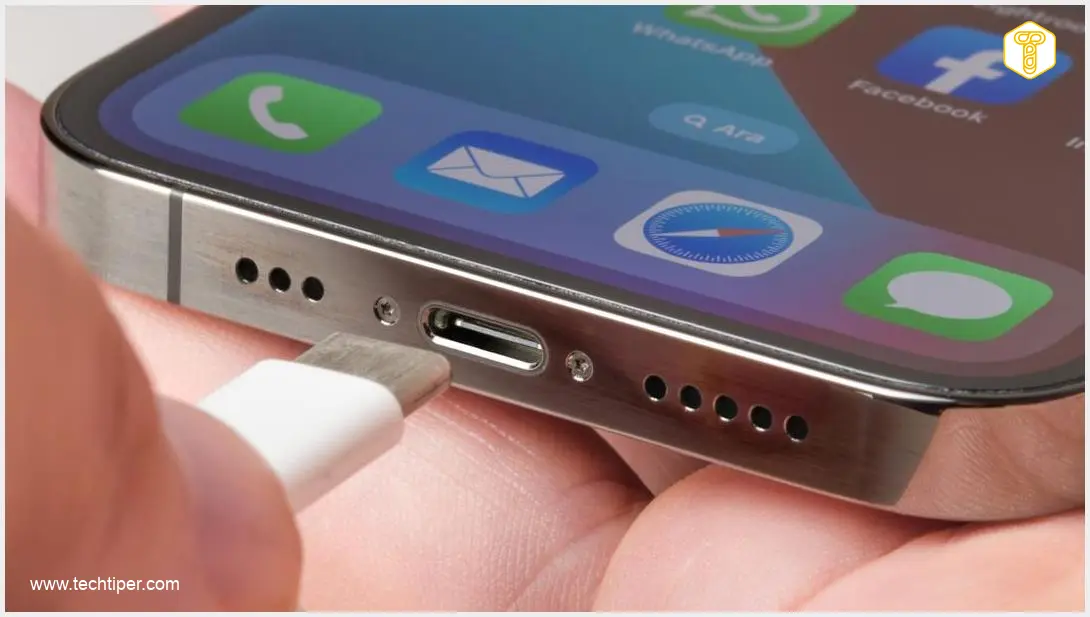
The USB-C port on your smartphone, while small, plays a critical role in your device’s functionality. Unfortunately, it’s constantly exposed to potential contaminants like dust, sand, pet hair, and lint from your pockets. Over time, these tiny particles accumulate deep inside the connector. Each time you plug in your charging cable, this debris gets compacted, creating a dense barrier.
As a result, the charger’s plug can’t make full, even contact with the internal pins. This leads to a range of frustrating charging issues:
- Your phone may only charge with specific cables.
- Charging speeds become noticeably slower than usual.
- The phone only charges if you wiggle or hold the cable at a peculiar angle.
- The cable feels loose or falls out easily.
A common red flag is a charging cable that inserts at an angle, feels loose, or detaches on its own. If an older USB-A cable with an adapter still works, but a new USB-C cable doesn’t, the issue is often not with the phone’s internal electronics, but with compacted grime inside the port. Rectifying this problem might not require an expensive repair; a simple cleaning of the USB-C port could be all you need.
How to Prepare for Cleaning Your USB-C Port
Before you begin the cleaning process, preparation is key to ensuring safety and effectiveness. Follow these steps:
- Disconnect and Power Off: Always unplug your phone from any charger and power it completely off. This is crucial, especially if you plan to use any metallic tools, as it minimizes the risk of accidental short circuits to the delicate internal components.
- Inspect the Port: Use a flashlight or a bright lamp to illuminate the inside of the port. Look closely for any visible compacted lint, dust bunnies, or other debris at the bottom of the connector. This will give you an idea of what you’re dealing with.
For the cleaning itself, gather the right tools:
- Soft Light Source: To clearly see inside the port.
- Thin, Soft-Bristled Brush: A small, anti-static brush or a new, clean soft toothbrush can work.
- Debris Removal Tool: The safest options are plastic or wooden toothpicks. While some service guides might cautiously suggest using non-metallic tweezers for larger, more stubborn clumps, exercise extreme caution.
- Compressed Air: A can of compressed air (designed for electronics) or a small air blower bulb (like those used for camera lenses) can dislodge loose particles.
- Isopropyl Alcohol (Optional & with Caution): If you encounter sticky residues, 90% or higher concentration isopropyl alcohol and small cotton swabs (or specialized foam swabs) might be used, but proceed with extreme care.
Cleaning Your USB-C Port Safely and Effectively
With your phone off and tools ready, follow these steps to clean your USB-C port:
- Blast with Air: Start by giving the port a few short bursts of compressed air (or use an air blower bulb). This helps to dislodge and disperse any loose debris. Important: Never blow into the port with your mouth! The moisture from your breath can cause corrosion and damage the delicate contacts.
- Gentle Prodding with a Toothpick: For more persistent debris, carefully use a plastic or wooden toothpick. The goal is to gently scrape the sides of the port and around the central contact pin, not to aggressively dig at the pin itself.
- Avoid Aggression and Metal: Be extremely gentle. Aggressive poking can easily damage the central pin or the internal structure of the USB-C port. Absolutely avoid using metal tools like paper clips, needles, or metal tweezers, as they can scratch, bend, or short-circuit the contacts, leading to irreversible damage.
- Isopropyl Alcohol (If Necessary): Some technicians recommend against using any liquids, while others suggest isopropyl alcohol for sticky residues. If you choose to use it, apply a tiny amount to a specialized foam swab or the very tip of a toothpick wrapped in a thin layer of cotton. Gently wipe the affected areas. Ensure the alcohol evaporates completely before powering on your device. Aggressive chemicals can strip protective coatings from the contacts.
- Final Brush: Use your soft-bristled brush to gently sweep away any remaining loosened particles.
After cleaning, attempt to charge your phone. If the issue persists, consider checking specific device charging compatibility, for instance, if you own a Samsung Galaxy, you might want to look into common Samsung Galaxy S26 Ultra charger compatibility issues which can sometimes mimic a port problem.

When to Seek Professional Repair
If, after thoroughly cleaning, your phone still doesn’t charge correctly, it might indicate a more serious underlying problem that requires professional attention. This could include:
- Physical Damage to the Port: Such as bent or broken pins, or significant wear and tear that affects the connection.
- Internal Electronic Failure: Problems with the phone’s internal charging circuitry or power management unit.
In these cases, a certified technician will be able to diagnose the exact issue and perform the necessary repairs.
Wireless Charging: A Solution to Prevent Port Wear
To minimize the reoccurrence of charging port issues, it’s wise to be mindful of how you carry your phone. Try to limit its exposure to lint-filled pockets or bags with sand and small crumbs. Storing your device in a separate pocket or a dedicated phone case, rather than alongside keys and loose change, can significantly reduce debris accumulation.
If your phone supports wireless (inductive) charging, investing in a wireless charger can be a great long-term solution. Not only does it reduce the wear and tear on your physical charging port, but it also provides an invaluable alternative charging method should your USB-C port ever become completely non-functional. Moreover, optimizing your charging habits with wireless options can contribute to improving overall battery life and longevity.
Sources: Nerdytechblog, igeeksblog, iFixit, AndroidAuthority.
Opening photo: yalcinsonat1 / Depositphotos
Frequently Asked Questions (FAQ)
No, it is strongly advised against using metal objects like needles, paperclips, or metal tweezers. These can easily scratch, bend, or short-circuit the delicate internal pins of your USB-C port, causing irreversible damage that would require an expensive repair or even phone replacement. Always opt for non-conductive tools like plastic or wooden toothpicks.
The frequency depends on your usage and environment. If you frequently carry your phone in linty pockets or dusty environments, you might need to check and clean it every few months. If you notice any of the charging issues described in this article, that’s a clear sign it’s time for an inspection and cleaning.
If cleaning the USB-C port doesn’t resolve the charging problem, it’s likely a more serious hardware issue. This could include a physically damaged port (bent pins), a faulty charging cable or adapter, or an internal problem with the phone’s charging circuitry. In this scenario, it’s best to consult a professional phone repair service or the manufacturer’s support for proper diagnosis and repair.
About Post Author
